Suites
In this section you will learn how to group tests into suites and play them together.
What a suite is
A suite is an ordered list of tests of the project. You play a suite as a whole, and the suite — not the test — is what Pulse schedules. A test can belong to several suites.
Create a suite
- Open the Suites tab.
- Click
+next to the suite list (Create New Suite) and name the suite. - Drag tests from Available Tests into the suite. Drag them inside the suite to change their order.
Hover over a suite for Duplicate Suite, Delete Suite and Suite Settings, where you set its schedule.
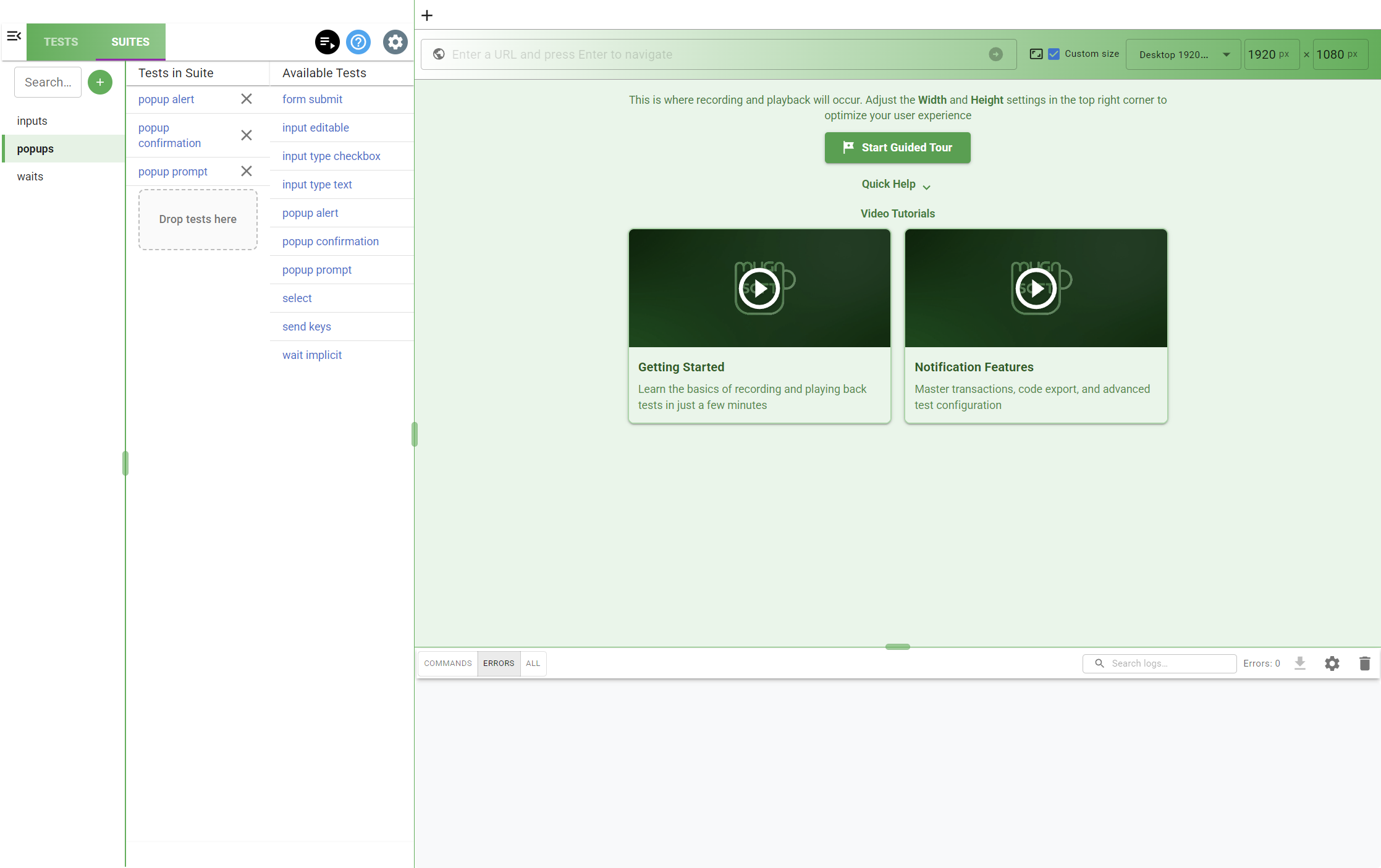
Play a suite
Select the suite and click Play Suite in the toolbar. Pulse plays its tests one after the other, in the order of the suite, and records each run in the tests’ performance history.
Note:
A new test is always created in [All tests], never inside the suite currently selected. Add it to a suite afterwards by dragging it from Available Tests.
See also
- Scheduling — run a suite automatically
- Tests and steps — create and edit the tests of a suite